
Customize
The Winner Is
Picker Play: Random Name & Team Picker - Spin The Wheel To Decide 
What is PickerPlay ?
Spin the wheel to pick random names, teams, yes or no answers or decide anything in between instantly. Picker Play is a popular fast, fair decision-making tool for raffles, games, teaching, events.
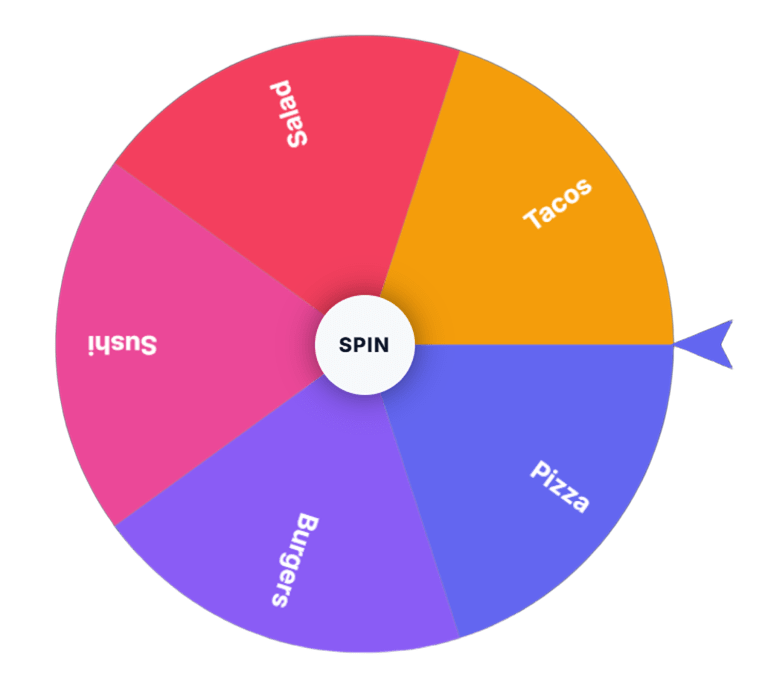
 This stylish wheel spinner can be customized as per your requirement. It is free and easy to use. Fill-in the options and hit the SPIN button in the center of the wheel to spin the wheel.
For random group maker / team generator use Team Picker
- Why Teachers, Coaches, and Hosts Choose PickerPlay ?
-
1. 100% Free. All tools are free forever. No trial, no credit card, no limits on spins. - 2. No Signup Needed. Open the page and start. Your data never leaves your browser, so it’s safe for student names.
- 3. Works Everywhere .
- 4. Save Time. What used to take 10 minutes now takes 10 seconds. More time for teaching and fun.
- 5. Customizable. Add your own names, colors, sounds, and images. Make each wheel unique for your class or event.
Try Picker Play now and make decisions a breeze! 
How to Use Picker Play Spinner: A Step-by-Step Guide 🎉 😊
Getting a random pick is super easy with Picker Play! 🎉 Just follow these 3 simple steps
-
1. ADD YOUR INPUTS: Enter your OPTIONS one by one by hitting ENTER. One name per line. You can even customize, reorder, or delete inputs anytime

- 2. SPIN THE WHEEL: Click Spin or hit "Alt + S" to start spinning (For Chrome / Edge Windows)
-
3. GET YOUR RESULTS: The wheel announces the picked choice where the pointer lands

-
Keyboard Shortcuts to Spin the wheel on Various Browsers - Picker Play
- Chrome / Edge (Windows) = Alt+S
- Firefox (Windows) = Alt+Shift+S
- Chrome / Safari (Mac) = Ctrl+Opt+S
- Firefox (Mac) = Ctrl+Opt+S
-
You can also
- Add text + images to each entry
- Edit input values, position entries
Customize Your Online Wheel Spinner: A Guide to Picker Play Settings 🎨
Make your online wheel spinner truly unique with Picker Play's customization options! 😊 Located in the Tool Settings section, these features help you personalize your wheel to fit your needs.
Spin Behaviour Options
- Spinning Speed: Choose from 10 levels to control the wheel's pace
- Spinning Duration: Set the spin time between 7-60 seconds
Visual and Audio Customization
- Confetti & Sound: Toggle confetti and sound effects on/off
- Tool Colors: Select from various themes to match your style
- Background Image: Add a custom image
Save and Open Your Picker Play Config: A Guide 🗃️
Learn how to save and manage your Picker Play settings with ease. This guide covers automatic browser storage and manual file saving options.
Automatic Browser Storage
- Picker Play saves your latest inputs and customization in your browser's storage by default
- Access your saved data next time you visit (same browser, same device)
- Note: Clearing browser history or storage may delete saved data 😅
Saving Your Wheel Config as a File
- Click the Save button below the wheel
- A file with your wheel settings will download to your computer 📥
- Share the file or reopen it later with the same settings
Opening a Saved Wheel Config File
- Click the Open button below the wheel.
-
Select the wheel config file from your computer that you have downloaded previously

- Your wheel settings will load instantly.
Tips and Tricks
- Use the Save feature to share your wheel with others or access it across devices
- Keep your wheel config files organized for easy access
FAQs for PickerPlay
1. What is PickerPlay and how does it work?
PickerPlay is a free online tool with a wheel of names and team generator. Just paste your list of names, click spin or generate, and get a random winner or balanced teams instantly. No signup needed.
2. Is there a free random team generator for teachers?
Yes. PickerPlay offers a 100% free random team generator for teachers. You can split students into 2, 3, 4 or more groups randomly for classroom activities, PE class, and group projects. It works on any device.
3. How to use online wheel of names for classroom?
To use the online wheel of names for classroom, add your student names to PickerPlay’s wheel, customize colors, and click spin. Use it for cold calling, picking who answers, rewarding students, or randomizing presentations fairly.
4. Can I spin the wheel for raffle online for free?
Yes. You can spin the wheel for raffle online free on PickerPlay. Add participant names and prizes to the wheel, spin it live, and screen record the winner announcement for your giveaway or contest.
5. Is PickerPlay free to use? Do I need to sign up?
Yes, PickerPlay is 100% free with no limits. You don’t need to create an account, login, or download anything. All tools work directly in your browser.
6. Can I use PickerPlay as a random team selector for work?
Absolutely. Our random team selector for work is used by managers and HR to split employees into teams for Zoom breakout rooms, project groups, lunch roulette, and hackathons. It creates unbiased teams in seconds.
7. Does PickerPlay save the names I enter?
No. PickerPlay does not save, store, or share the names you enter. All picks are done in your browser for privacy. This makes it safe for classroom and work use.
8. How to split students into teams randomly?Go to PickerPlay Team Picker, paste your student list, select number of teams, and click generate. The tool will automatically create balanced random teams for you.
9. Can I customize the wheel of names with colors and prizes?
Yes. You can customize the wheel with different colors, add emojis, edit names, and add prize labels. Perfect for raffles, classroom rewards, and game shows.
10. Is PickerPlay better than other wheel of names tools?
PickerPlay is faster, privacy-focused, and combines 3 tools in one – wheel of names, team generator, and leader picker. No ads block your spin, no data is saved, and it works on mobile.
11. Can I use PickerPlay on mobile phone for classroom?
Yes. PickerPlay is fully mobile-friendly. You can use the wheel of names and team generator on your phone, tablet, projector, or laptop in your classroom or event.
12. How to pick a random leader or team captain?
Use PickerPlay’s Pick Leader tool. Enter team member names and click pick leader. The tool will randomly select one captain fairly, avoiding bias.
13. Does the wheel of names work for Zoom meetings?
Yes. Share your screen on Zoom and spin the wheel of names to pick participants, choose winners, or assign breakout groups. It’s a popular tool for online classes and remote work.
14. Is spin the wheel for raffle fair and random?
Yes. PickerPlay uses a true random algorithm. Every name has an equal chance to win. The visual spin provides transparent proof for your raffle participants.
Share Your Wheel with Others 🎉
Spread the fun and share your customized wheel with friends, family, or your audience! 😊
Here's how
- Click the Share button below the wheel
- A link with your current wheel settings will be copied to your clipboard 📋
- Share the link with anyone, and they'll see your wheel as you created it!
Have fun !
Activity in 2026
Total Spins:
346
Total Spin Time(Hours)
0.67
Activity in 2026